Showing posts with label Web Content Management. Show all posts

Wednesday, 15 December 2010

How to disable web part chrome

In the context of a highly-branded WCM site, the default "chrome" (border and title) SharePoint wraps around your custom web parts can be ugly and inconvenient. At worst, it will make your site look SharePoint-y and require every web part added to a page to have its Chrome settings manually adjusted.

Chrome Type

That's no way for a web part to behave in content management system but what to do?

In the past I've set the chrome type explicitly for each custom web part, either in the .webpart/.dwp file itself or programmatically:

<property name="ChromeType" type="chrometype">None</property>

this.ChromeType = PartChromeType.None;

To avoid doing this per web part (or cluttering up your nice little base web part class), you can set the PartChromeType property on the WebPartZone declared in your page layout:

<WebPartPages:WebPartZone id="wpzLeftColumn" runat="server" title="Left Column" PartChromeType="None">

Any web parts added to that zone with a default Chrome Type (aptly named "Default") will inherit this setting from the web part zone. Of course individual web parts can override this as required.

If you found this post helpful, please support my advertisers.

Friday, 3 December 2010

Relative URLs, the Rich Text Editor, and Reusable Content

We recently started leveraging the Reusable Content list to supply user-editable content to one of our interactive online forms and outbound emails. This allows the content owner to tweak the content as required as this content isn't locked away in custom code or resource files—no build and deploy required and the content management system is even used as such (whatdya know?!).

The Reusable Content list is provisioned by SharePoint when the Publishing feature is enabled; it allows users to define content snippets that can be maintained in a single location and updated automatically wherever they're used. You can optionally treat a reusable content snippet as a template—an editable copy is inserted into the page instead of a read-only, auto-updating view.

Reusable Content list items are pretty straightforward and, most importantly, contain a single HTML (rich text) field. SharePoint naturally displays its rich text editor around this field in edit mode so the edit user experience is similar to editing page content.

Unfortunately HTML fields in SharePoint are smarter than they should be and (in MOSS 2007), the product will mangle some content. I recently discovered it refuses to play with background-image style—they're silently removed whether they're inline or in an embedded stylesheet. (And yes, I know, inline styles are evil but this snippet was actually being plugged into an email so everything had to be self-contained).

Despite the tricks SharePoint plays on you with "managed" URLs, it seems the rich text field also stores URLs pointing to content within the current site as relative URLs. Absolute URLs are converted automagically but you'll never really see this until you pull the content out via the API.

We hunted for a way within SharePoint to convert all relative URLs in this content to absolute URLS but without much luck. I think there may be a Javascript function in one of the client scripts to do so for a chunk of content but there's nothing obvious in the server-side API.

To address this, we replace all relative URLs using the regex below (note the URL group) (is using regex to parse HTML bad? You be the judge). You may want to use SPUtility.GetFullUrl() to convert individual URLs.

@"(?:<\s*(?:a|img)\s+[^>]*(?:href|src)\s*=\s*[\""'])(?!http)(?<url>[^\""'>]+)[\""'>]"

If you found this post helpful, please support my advertisers.

Wednesday, 17 November 2010

How to determine if a SPPublishingPage is published

You can programmatically determine if the SPPublishingPage you're dealing with is in a published state by retrieving the SPFileLevel of the page's corresponding SPFile:

if (page.ListItem.File.Level == SPFileLevel.Published) …

You can also access this through the PublishingPage.ListItem.Level property.

The same SPFileLevel enumeration will also indicate if the page is in draft mode (checked in but not published) or checked out but in my experience this property will return SPFileLevel.Published or SPFileLevel.Draft more often than not.

To determine whether the page is checked out, use the SPFile.CheckOutStatus property in WSS 3.0 or the  SPFile.CheckOutType property in SP2010. Any value other than None means the page is checked out.

If you found this post helpful, please support my advertisers.

SPSite.AllWebs vs SPWeb.Webs

There's a subtle distinction between SPSite.AllWebs and SPWeb.Webs to be aware of—and yes, despite this being the SharePoint API we're talking about, it's more than just a naming oddity!

SPSite.AllWebs returns the immediate child webs of the site collection and all of their child webs (in other words, all webs recursively within the site collection); SPWeb.Webs has a much narrower scope and only returns the first level child webs immediately below the SPWeb object.

So what does this mean and how does it benefit you? If you're writing code that recursively walks the site hierarchy using SPWeb.Webs, you may be able to avoid the overhead by simply using SPSite.AllWebs. Recursion is fun and all but it adds complexity where it may not be warranted.

If you found this post helpful, please support my advertisers.

Friday, 23 July 2010

PublishingPageLayout doesn't point to current web application

In the past, we've developed a habit of "birthing" new SharePoint sites in a UAT environment for initial setup and stabilisation before the big move to the production farm; during major site renovations—like the recent www.westernaustralia.com rebrand—we'll implement a quasi-freeze on production (emergency edits only) and conversely pull the content down to UAT for overhaul. At the end of the day, we're moving SharePoint content between farms on a fairly regular basis.

Prior to the release of the April 2009 Cumulative Update packages, Microsoft didn't support moving content databases between farms because "MOSS often stores absolute URLs to the Page Layout in the properties of a Publishing Page." With the April Cu that changes but of course the times they a change too and we've abandoned the stsadm backup/restore commands in favour of restoring SQL Server backups and running the stsadm deletecontentdb/addcontentdb commands (it's not only more reliable but many times faster…).

Until yesterday none of the above was causing us any problems. In fact, we'd even become complacent about it all.

So finding out one of our content editors was unable to publish a page due to a previously unseen exception was not something that would have led us to review the way we handle content databases. After checking out some pages for editing, an attempt to publish the page was met with the following exception:

ArgumentException 
Value does not fall within the expected range.

    Stack trace:    at Microsoft.SharePoint.Library.SPRequestInternalClass.GetMetadataForUrl(String bstrUrl, Int32 METADATAFLAGS, Guid& pgListId, Int32& plItemId, Int32& plType, Object& pvarFileOrFolder)
   at Microsoft.SharePoint.Library.SPRequest.GetMetadataForUrl(String bstrUrl, Int32 METADATAFLAGS, Guid& pgListId, Int32& plItemId, Int32& plType, Object& pvarFileOrFolder)
   at Microsoft.SharePoint.SPWeb.GetMetadataForUrl(String relUrl, Int32 mondoProcHint, Guid& listId, Int32& itemId, Int32& typeOfObject, Object& fileOrFolder)
   at Microsoft.SharePoint.SPWeb.GetFileOrFolderObject(String strUrl)
   at Microsoft.SharePoint.Publishing.CommonUtilities.GetFileFromUrl(String url, SPWeb web)
   at Microsoft.SharePoint.Publishing.PublishingPage.get_Layout()
   at Microsoft.SharePoint.Publishing.PublishingPage.GetEffectivePageCacheProfileId(Boolean anonUserProfile)
   at Microsoft.SharePoint.Publishing.PublishingPage.GetEffectiveAnonymousPageCacheProfileId()
   at Microsoft.SharePoint.Publishing.CachedPage..ctor(PublishingPage page, SPListItem altItem, String id, String parentId, String title, String url, String description, CachedObjectFactory factory, List`1& fieldInfo, Boolean datesInUtc)
   at Microsoft.SharePoint.Publishing.CachedPage.CreateCachedPage(PublishingPage page, SPListItem altItem, CachedObjectFactory factory, List`1& fieldInfo, Boolean datesInUtc)
   at Microsoft.SharePoint.Publishing.CachedPage.CreateCachedPage(PublishingPage page, CachedObjectFactory factory, List`1& fieldInfo, Boolean datesInUtc)
   at Microsoft.SharePoint.Publishing.CachedListItem.CreateCachedListItem(SPListItem item, SPListItem alternateItem, Boolean parentIsWeb, CachedObjectFactory factory, List`1& fieldInfo, Boolean datesInUtc)
   at Microsoft.SharePoint.Publishing.CachedObjectFactory.CreateObject(SPListItem listItem, List`1& fieldInfo, Boolean datesInUtc)
   at Microsoft.SharePoint.Publishing.CachedObjectFactory.CreateObject(PublishingPage page, Boolean datesInUtc)
   at Microsoft.SharePoint.Publishing.CachedObjectFactory.GetPageForCurrentItem()
   at Microsoft.SharePoint.Publishing.TemplateRedirectionPage.ComputeRedirectionVirtualPath(TemplateRedirectionPage basePage)
   at Microsoft.SharePoint.Publishing.Internal.CmsVirtualPathProvider.CombineVirtualPaths(String basePath, String relativePath)
   at System.Web.Hosting.VirtualPathProvider.CombineVirtualPaths(VirtualPath basePath, VirtualPath relativePath)
   at System.Web.UI.DependencyParser.AddDependency(VirtualPath virtualPath)
   at System.Web.UI.DependencyParser.ProcessDirective(String directiveName, IDictionary directive)
   at System.Web.UI.PageDependencyParser.ProcessDirective(String directiveName, IDictionary directive)
   at System.Web.UI.DependencyParser.ParseString(String text)
   at System.Web.UI.DependencyParser.ParseFile(String physicalPath, VirtualPath virtualPath)
   at System.Web.UI.DependencyParser.GetVirtualPathDependencies()
   at Microsoft.SharePoint.ApplicationRuntime.SPVirtualFile.CalculateFileDependencies(HttpContext context, SPRequestModuleData basicRequestData, ICollection& directDependencies, ICollection& childDependencies)
   at Microsoft.SharePoint.ApplicationRuntime.SPDatabaseFile.EnsureDependencies(HttpContext context, SPRequestModuleData requestData)
   at Microsoft.SharePoint.ApplicationRuntime.SPDatabaseFile.EnsureCacheKeyAndViewStateHash(HttpContext context, SPRequestModuleData requestData)
   at Microsoft.SharePoint.ApplicationRuntime.SPDatabaseFile.GetVirtualPathProviderCacheKey(HttpContext context, SPRequestModuleData requestData)
   at Microsoft.SharePoint.ApplicationRuntime.SPVirtualFile.GetVirtualPathProviderCacheKey(String virtualPath)
   at Microsoft.SharePoint.ApplicationRuntime.SPVirtualPathProvider.GetCacheKey(String virtualPath)
   at Microsoft.SharePoint.Publishing.Internal.CmsVirtualPathProvider.GetCacheKey(String virtualPath)
   at System.Web.Compilation.BuildManager.GetCacheKeyFromVirtualPath(VirtualPath virtualPath, Boolean& keyFromVPP)
   at System.Web.Compilation.BuildManager.GetVPathBuildResultInternal(VirtualPath virtualPath, Boolean noBuild, Boolean allowCrossApp, Boolean allowBuildInPrecompile)
   at System.Web.Compilation.BuildManager.GetVPathBuildResultWithNoAssert(HttpContext context, VirtualPath virtualPath, Boolean noBuild, Boolean allowCrossApp, Boolean allowBuildInPrecompile)
   at System.Web.Compilation.BuildManager.GetVirtualPathObjectFactory(VirtualPath virtualPath, HttpContext context, Boolean allowCrossApp, Boolean noAssert)
   at System.Web.Compilation.BuildManager.CreateInstanceFromVirtualPath(VirtualPath virtualPath, Type requiredBaseType, HttpContext context, Boolean allowCrossApp, Boolean noAssert)
   at System.Web.UI.PageHandlerFactory.GetHandlerHelper(HttpContext context, String requestType, VirtualPath virtualPath, String physicalPath)
   at System.Web.HttpApplication.MapHttpHandler(HttpContext context, String requestType, VirtualPath path, String pathTranslated, Boolean useAppConfig)
   at System.Web.HttpApplication.MapHandlerExecutionStep.System.Web.HttpApplication.IExecutionStep.Execute()
   at System.Web.HttpApplication.ExecuteStep(IExecutionStep step, Boolean& completedSynchronously)

Which of course means nothing.

Before long the guys stumbled across one of Stefan Goßner's brilliant posts, which suggests MOSS doesn't update all absolute page layout URLs on each publishing page object when content is shifted between farms; of cours, with the April 2009 CU installed and doing things via backup/restore or import/export, we may have avoided this issue.

You can see the exact problem by examining a page in SharePoint Manager: locate a page in the Pages library, expand the page node to reveal its Properties node, and expand the Properties node so you can inspect the PublishingPageLayout node. This screenshot is from my development environment, a server named dev-moss-mh5 and the wa.com web application configured to run on port 180—so obviously the http://edit.uat.westernaustralia.com value is incorrect:

SPM 2007 Publishin Page Properties

Interestingly, this problem was only affecting the production edit site… for whatever reason, my dev environment was unaffected. However, running Stefan's FixPageLayout code corrected the problem in production. The application runs through every page in every subsite and fixes the PublishingPageLayout property where required (in addition to reporting any other page instance/layout/master page issues). 

Update: Just remembered from a while back Gary Lapointe also has an stsadm command to fix this problem:

http://stsadm.blogspot.com/2007/08/fix-publishing-pages-page-layout-url.html

Monday, 12 April 2010

'null' is null or not an object javascript error when interacting with the SharePoint rich text editor

Running MOSS 2007 with SP2 and a stack of cumulative updates still seems to leave those users running IE8 in IE8 Standards mode in the dark.

In particular, editing a page and clicking into a rich text field triggers a slew of javascript errors which seem to stem from a null reference in the RTE_TB_ClearButtonDisabledect function (form.js). In particular, you may face the ‘null’ is null or not an object error.

To work around this, use the IE Dev Toolbar (F12) to change the Document Mode to IE8 Compatibility View:

SharePoint IE8 Alternatively, tell the browser you’re site must be rendered in compatibility mode.

Interestingly, this issue was supposedly fixed with a hotfix and then SP2…

Wednesday, 10 February 2010

SharePoint 404: The resource cannot be found

If a page element is missing—either a user control hasn’t been deployed or something else that needs to be in place for the page to compile dynamically is awol—you might be the proud owner of a 404 even though the page itself does exist.

HTTP 404. The resource you are looking for (or one of its dependencies) could have been removed, had its name changed, or is temporarily unavailable.  Please review the following URL and make sure that it is spelled correctly.

After setting the SafeMode element’s CallStack element true in web.config, turning off CustomErrors, and setting the debug=”true” attribute on the compilation element, you’re possibly looking at a beautiful ASP.NET error message with no stack trace and not a lot to go on.

Well here’s a trick: view source on the error page and and scroll down below the closing HTML tag. Behold the stack trace! It should tell you exactly where to look for the problem.

Tuesday, 9 February 2010

westernaustralia.com Relaunch and Other Website Recent Activities

If you’ve been following the progress of the westernaustralia.com website over the years, you’ll already know the site was one of the first in Australia to be launched on the MOSS 2007 platform and has been consistently voted as one of the top fully branded SharePoint sites in the world ever since. Having worked on the site since the get-go and as the current technical lead for the project, I’m the proud owner of the site’s programmatic aspects; today I’m tickled pink to tell you, the SharePoint community, about yesterday’s launch of the new Tourism Western Australia brand, Experience Extraordinary, and, more specifically, the brand’s impact on the westernaustralia.com website.

At the moment we’re working with the Digital Marketing team on a two (or three phase) approach (depending on how you look at it) to implement the new brand. The first phase unfolded in August last year and involved the neutralisation of the preceding brand’s elements (The Real Thing) while the latest creative design agency, Host, was appointed. Phase 1 of the new brand implementation kicked off in the dev team a little over three weeks back and involved making the Photoshop mockups provided by Host into a living website. This work focused largely on the page banners (vibrant imagery, the tab, and extra height), the navigation, the background colour (trust me—everything is more complicated than you might think at first glance with wa.com!), what we call the ePostcards element, and the footer elements.

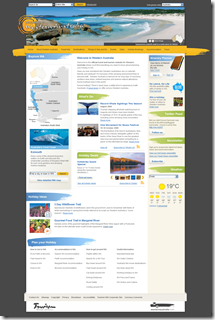
Here’s a picture of what I think is a visually stunning website and a vast improvement over its predecessor:

wacom homepage 4 Experience Extraordinary Phase 1

Phase 2 holds still more secrets but you can bet we’ll be making all the middle bits fit with the rest of the changes. One of the challenges we’ll be facing is getting the home page weight down from a whopping 1750KB and 100 requests. Stunning, certainly, but our CDN of choice (Akamai) allows us to get away with this sort of monkey business.

In addition to all the glam, we also took the opportunity to overhaul the heading infrastructure. This subsystem is designed to give content editors the ability to upload new banner images and all of the corresponding display data required to render the Flash banner. The Flash banner itself was built by Host from our previous banner and it takes as a parameter an XML file providing all the information it needs to display the banner images, text, links, and colours.

Obviously this data is stored in a list to which the FlashBanner.cs web part communicates at render time. Like I say, nothing in wa.com is as it first appears and one of the more complex requirements was allowing a subsite to override the banners displayed for for it and its children (in effect to support the major subsections of the site such as the destinations). Apart from simply walking up the site hierarchy recursively until a banner list is found, we then needed interrogate the list and emit an XML file acceptable to the banner; the URL to the file is finally cached with a dependency on the file itself.

Interestingly, this was one of the first times we started using event receivers on the banner lists to invalidate the cache when a banner is added, edited, or deleted; this keeps the content editors happy and productive and is one less of those annoying “is my banner cached in the browser cache | Akamai | reverse proxy| application cache | output cache | blob cache?” questions ;)

I’ll also point out we’re using a simple custom list for this instead of a picture library or custom list derived from a picture library. The previous version of this list was in fact a custom picture library but it suffered from broken thumbnails (which we now know how to fix) and proved rather cumbersome to use in practice (no reordering, a difficult view, etc). The move away from the picture library wasn’t, in retrospect, necessarily a great decision but it was probably the best decision at the time and came with considerable deliberation. The one major problem with the current approach is banner images must be uploaded separately to a real picture library and then referenced from the list; this is a bit of a double-up and disconnects the image itself from its metadata. As our understanding of list development and the peculiarities of these other list types increases, we may revisit this approach.

Also at a technical level, we recently move the site from our old IBM BladeCenter kit running Windows Server 2003 x86, MOSS 2007 SP1 (not even the Infrastructure Updates—gasp!), .NET 3.0, and a non-clustered SQL Server 2005 x86 database server. Everything was virtualised on ESX 4.0. We actually had three of these farms: one in prod, one in DR, and one for authoring; as content deployment never worked for the site, this meant a daily backup and restore of the content database from authoring to production and corresponding switch to or from DR (with DR actually being treated as a standby prod environment). That must have really sucked for our admin who had did that essentially manual task every business day since launch in May 2007. What. A. Drag.

From that setup, we moved to what was briefly the bees knees: Windows Server 2008 x64, MOSS 2007 SP2 + June 2009 CU, .NET 3.5 SP1, and a clustered SQL Server 2008 x64 database environment. Everything is still virtualised on ESX 4.0 and the entire setup is mirrored in DR. We’ve finally done away with the authoring farm so content editors are editing content in the production farm (we’re working towards a tiered security design and approval workflows, by the way, but our content editors have been working with the environment for years now and are mature in their understanding of how not to break the site ;). So no more daily content deployments and those of us in the dev team can finally start working with .NET 3.5 and LINQ.

For more on how we run the site, check out my Perth SharePoint User Group presentations and videos (things have changed but not that much):

http://blog.mediawhole.com/2009/02/how-we-do-wcm-at-tourism-wa-im-speaking.html

http://blog.mediawhole.com/2009/03/presenting-at-next-sharepoint-user.html

If you’ve read this far, you deserve the chance to win a prize. Want the opportunity to take an extraordinary taxi ride around the state of Western Australia? If so, check out the “brand activation” microsite: http://www.extraordinarytaxiride.com.au/

Note: I am employed by Tourism WA as a contractor working for Diversus. Mediawhole, mediawhole.com, and this blog are not associated directly with Tourism Western Australia or the westernaustralia.com website. The information provided above  is published independently as a member of the public and does not reflect the views of Tourism Western Australia or Diversus. Please consult a Tourism WA representative for more information about its brand, campaigns, and websites.

Friday, 13 November 2009

CMYK .jpg images don’t render in IE and Firefox

For the second time in recent memory I was today faced with a "broken" image in IE 8 and Firefox 2.x due to the image being saved using the CMYK colour mode instead of RGB. Interestingly, Chrome was quite happy to display the image as it was; I had to open it in Photoshop, change the mode to RGB, and save it back for the other browsers to respond. Apparently saving for web does the same thing.

Here’s the image in CMYK:

CMYK And here it is again in RGB:

RGB

Tuesday, 25 August 2009

westernaustralia.com site re-launch on MOSS 2007

westernaustralia.com today gets a facelift on the coattails of the corporate site relaunch a few weeks back. The westernaustralia.com site is Tourism Western Australia’s premier consumer-facing web site and targets visitors seeking quality, unbiased information about Western Australia.westernaustralia.com rebrand

This is the first major visual change to the site since TWA launched WA.COM on the MOSS 2007 platform in May 2007. The site is regularly cited as an early, shining example of how far you can take custom branding and SharePoint. Under the covers, the site employs all the SharePoint tricks you’re used to: master pages, page layouts, web parts, content types, lists—you name it. The only thing we don’t make use of that might otherwise factor into a WCM site is SharePoint search and the BDC (we’ve built a custom solution for that).

The English-language sites alone delivered more than eight million page views in the last twelve months to an international audience. We currently run the site on the back of a single Windows 2003 x86 web front end (which also hosts the tourism.wa.gov.au site as a separate web app) and SQL Server 2005 database server shared by all of our MOSS-based web sites. Site traffic is additionally accelerated by Akamai and cached by regional Akamai nodes to ensure visitors can access the site quickly and reliably from all over the world.

The new changes are part of an interim visual shift as Marketing prepare for a new brand launch later this year. Apart from the look and feel, which was aimed at reducing clutter and softening existing brand elements, the site is moving towards dynamic (i.e. social) content (see the twitter feed!) and the home page in particular has been positioned to display fresh content like events and deals.

Want more? For some more examples of the heavily branded sites we’ve rolled out on the MOSS platform over the last year, check out the side bar on this page (“Some of the MOSS sites I’ve worked on”) and watch the videos (1, 2).

Disclaimer: I’m a contractor working at TWA. Mediawhole is not directly affiliated in any way with the agency or the web sites; when I say “we”, I mean the royal We.