Showing posts with label Tourism WA. Show all posts

Tuesday, 9 February 2010

westernaustralia.com Relaunch and Other Website Recent Activities

If you’ve been following the progress of the westernaustralia.com website over the years, you’ll already know the site was one of the first in Australia to be launched on the MOSS 2007 platform and has been consistently voted as one of the top fully branded SharePoint sites in the world ever since. Having worked on the site since the get-go and as the current technical lead for the project, I’m the proud owner of the site’s programmatic aspects; today I’m tickled pink to tell you, the SharePoint community, about yesterday’s launch of the new Tourism Western Australia brand, Experience Extraordinary, and, more specifically, the brand’s impact on the westernaustralia.com website.

At the moment we’re working with the Digital Marketing team on a two (or three phase) approach (depending on how you look at it) to implement the new brand. The first phase unfolded in August last year and involved the neutralisation of the preceding brand’s elements (The Real Thing) while the latest creative design agency, Host, was appointed. Phase 1 of the new brand implementation kicked off in the dev team a little over three weeks back and involved making the Photoshop mockups provided by Host into a living website. This work focused largely on the page banners (vibrant imagery, the tab, and extra height), the navigation, the background colour (trust me—everything is more complicated than you might think at first glance with wa.com!), what we call the ePostcards element, and the footer elements.

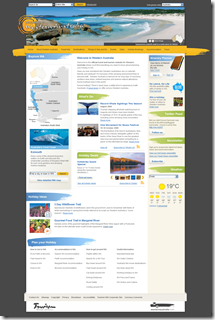
Here’s a picture of what I think is a visually stunning website and a vast improvement over its predecessor:

wacom homepage 4 Experience Extraordinary Phase 1

Phase 2 holds still more secrets but you can bet we’ll be making all the middle bits fit with the rest of the changes. One of the challenges we’ll be facing is getting the home page weight down from a whopping 1750KB and 100 requests. Stunning, certainly, but our CDN of choice (Akamai) allows us to get away with this sort of monkey business.

In addition to all the glam, we also took the opportunity to overhaul the heading infrastructure. This subsystem is designed to give content editors the ability to upload new banner images and all of the corresponding display data required to render the Flash banner. The Flash banner itself was built by Host from our previous banner and it takes as a parameter an XML file providing all the information it needs to display the banner images, text, links, and colours.

Obviously this data is stored in a list to which the FlashBanner.cs web part communicates at render time. Like I say, nothing in wa.com is as it first appears and one of the more complex requirements was allowing a subsite to override the banners displayed for for it and its children (in effect to support the major subsections of the site such as the destinations). Apart from simply walking up the site hierarchy recursively until a banner list is found, we then needed interrogate the list and emit an XML file acceptable to the banner; the URL to the file is finally cached with a dependency on the file itself.

Interestingly, this was one of the first times we started using event receivers on the banner lists to invalidate the cache when a banner is added, edited, or deleted; this keeps the content editors happy and productive and is one less of those annoying “is my banner cached in the browser cache | Akamai | reverse proxy| application cache | output cache | blob cache?” questions ;)

I’ll also point out we’re using a simple custom list for this instead of a picture library or custom list derived from a picture library. The previous version of this list was in fact a custom picture library but it suffered from broken thumbnails (which we now know how to fix) and proved rather cumbersome to use in practice (no reordering, a difficult view, etc). The move away from the picture library wasn’t, in retrospect, necessarily a great decision but it was probably the best decision at the time and came with considerable deliberation. The one major problem with the current approach is banner images must be uploaded separately to a real picture library and then referenced from the list; this is a bit of a double-up and disconnects the image itself from its metadata. As our understanding of list development and the peculiarities of these other list types increases, we may revisit this approach.

Also at a technical level, we recently move the site from our old IBM BladeCenter kit running Windows Server 2003 x86, MOSS 2007 SP1 (not even the Infrastructure Updates—gasp!), .NET 3.0, and a non-clustered SQL Server 2005 x86 database server. Everything was virtualised on ESX 4.0. We actually had three of these farms: one in prod, one in DR, and one for authoring; as content deployment never worked for the site, this meant a daily backup and restore of the content database from authoring to production and corresponding switch to or from DR (with DR actually being treated as a standby prod environment). That must have really sucked for our admin who had did that essentially manual task every business day since launch in May 2007. What. A. Drag.

From that setup, we moved to what was briefly the bees knees: Windows Server 2008 x64, MOSS 2007 SP2 + June 2009 CU, .NET 3.5 SP1, and a clustered SQL Server 2008 x64 database environment. Everything is still virtualised on ESX 4.0 and the entire setup is mirrored in DR. We’ve finally done away with the authoring farm so content editors are editing content in the production farm (we’re working towards a tiered security design and approval workflows, by the way, but our content editors have been working with the environment for years now and are mature in their understanding of how not to break the site ;). So no more daily content deployments and those of us in the dev team can finally start working with .NET 3.5 and LINQ.

For more on how we run the site, check out my Perth SharePoint User Group presentations and videos (things have changed but not that much):

http://blog.mediawhole.com/2009/02/how-we-do-wcm-at-tourism-wa-im-speaking.html

http://blog.mediawhole.com/2009/03/presenting-at-next-sharepoint-user.html

If you’ve read this far, you deserve the chance to win a prize. Want the opportunity to take an extraordinary taxi ride around the state of Western Australia? If so, check out the “brand activation” microsite: http://www.extraordinarytaxiride.com.au/

Note: I am employed by Tourism WA as a contractor working for Diversus. Mediawhole, mediawhole.com, and this blog are not associated directly with Tourism Western Australia or the westernaustralia.com website. The information provided above  is published independently as a member of the public and does not reflect the views of Tourism Western Australia or Diversus. Please consult a Tourism WA representative for more information about its brand, campaigns, and websites.

Tuesday, 25 August 2009

westernaustralia.com site re-launch on MOSS 2007

westernaustralia.com today gets a facelift on the coattails of the corporate site relaunch a few weeks back. The westernaustralia.com site is Tourism Western Australia’s premier consumer-facing web site and targets visitors seeking quality, unbiased information about Western Australia.westernaustralia.com rebrand

This is the first major visual change to the site since TWA launched WA.COM on the MOSS 2007 platform in May 2007. The site is regularly cited as an early, shining example of how far you can take custom branding and SharePoint. Under the covers, the site employs all the SharePoint tricks you’re used to: master pages, page layouts, web parts, content types, lists—you name it. The only thing we don’t make use of that might otherwise factor into a WCM site is SharePoint search and the BDC (we’ve built a custom solution for that).

The English-language sites alone delivered more than eight million page views in the last twelve months to an international audience. We currently run the site on the back of a single Windows 2003 x86 web front end (which also hosts the tourism.wa.gov.au site as a separate web app) and SQL Server 2005 database server shared by all of our MOSS-based web sites. Site traffic is additionally accelerated by Akamai and cached by regional Akamai nodes to ensure visitors can access the site quickly and reliably from all over the world.

The new changes are part of an interim visual shift as Marketing prepare for a new brand launch later this year. Apart from the look and feel, which was aimed at reducing clutter and softening existing brand elements, the site is moving towards dynamic (i.e. social) content (see the twitter feed!) and the home page in particular has been positioned to display fresh content like events and deals.

Want more? For some more examples of the heavily branded sites we’ve rolled out on the MOSS platform over the last year, check out the side bar on this page (“Some of the MOSS sites I’ve worked on”) and watch the videos (1, 2).

Disclaimer: I’m a contractor working at TWA. Mediawhole is not directly affiliated in any way with the agency or the web sites; when I say “we”, I mean the royal We.

Friday, 21 August 2009

Seeking an Experienced DBA with Strong T-SQL Skills

We’re looking for an experienced database administrator to start initially on a short term (three month) contract at Tourism WA’s Perth office. If you match this description, you do quality work, and you’re not a cocky git, please get in touch asap: info@mediawhole.com.

Required Personal Skills

  • The ability to work independently with initiative and self-drive
  • Excellent interpersonal skills
  • Excellent verbal and written communication skills
  • A sense of humour

Required Technical Skills

  • Practical experience writing Transact SQL scripts and applying relational database concepts
  • Practical experience installing, maintaining and migrating SQL Server 2000, 2005, and 2008 on 32 and 64-bit platforms
  • Practical experience configuring and maintaining SQL Server 2008 clusters
  • Knowledge of general performance testing and environment optimisation approaches
  • Practical experience performance tuning existing code (stored procedures, user defined functions, views, other queries)
  • Practical experience tuning indexes and configuring maintenance plans
  • Practical experience implementing a database server health monitoring and status alerting system
  • Practical experience with high availability techniques for SQL Server (mirroring, log shipping, etc.)
  • Knowledge of deploying C# CLR assemblies within SQL Server

Desirable Technical Skills

  • Experience maintaining product-specific database environments (specifically SharePoint/MOSS 2007)
  • A working understanding of network concepts as they relate to database administration (firewalls, TCP/IP, performance)
  • A working understanding of SAN and RAID technologies
  • Experience tuning storage subsystems
  • Experience installing and maintaining SQL Server Reporting Services (SSRS)
  • Experience creating and maintaining SSRS reports
  • Basic understanding of source control concepts

Tourism WA Corporate Site Relaunched on MOSS 2007

With the agency's first sites launched on SharePoint 2007 more than two years ago, it was recently time to give the flagship Tourism WA sites a facelift! The corporate site (http://www.tourism.wa.gov.au) is the first site to move across to an interim look and feel as Marketing prepare for the formal brand re-launch; the consumer site (http://www.westernaustralia.com) will be following next week.

Tourism WA Corporate Homepage MOSS 2007So how much effort was involved on the Corporate side? With no major content changes, it was really a question of modifying the existing CSS and and some of the images and other resources; all up, about a week's work—including a stack of minor content tweaks. Consumer has been more involved but I'll save that story for another post ;-)

Saturday, 8 August 2009

Tourism WA CIO Position Advertised

Having worked at Tourism WA in various capacities for three and a half years, I’m currently working for my third TWA CIO. As the current CIO is acting in that position, Corporate and Business Services has decided to advertise the position again (it was advertised earlier in the year until being withdrawn after the second round of interviews). If you’re interested in working at Tourism and has what it takes to fill the CIO role—and you want to work with moi), then be sure to apply:

http://search.jobs.wa.gov.au/page.php?pageID=160&windowUID=0&AdvertID=84697

Monday, 6 April 2009

westernaustralia.com makes the top 10 MOSS sites

It was really cool to be listed on various MOSS-tracking sites back in the day when www.wwesternaustralia.com was launched nearly two years ago but to be picked out—on a top 10 list by Joel Oleson, next to Ferrari, Cadbury, and Engergizer, no less—at this point in time is incredible.

Joel in particular comments on our “great search” but I wonder if he knows it’s not running on MOSS search or the BDC? Searching for tourism western australia moss and tourism western australia bdc brings up some pesky, ancient postings by Angus Logan—a Softie who was previously involved with the site, our move from MCMS to MOSS, and the initial decision to do search with the BDC. These post would have you believe we’re running happily with the OOB MOSS search and the BDC; this is definitely not the case and we’ve actually written our own custom search solution.

If you’re interested in the custom branding work we do at Tourism, have a look at the list of Some of the MOSS sites I’ve Worked On in the sidebar. wa.com is certainly a last example but the other tourism sites have all been provisioned on the same farm from a single site def/feature set.

As a parting comment, looking at the number of heavily-customised MOSS sites out there these days, it occurred to me that maybe this stuff isn't really all that hard to do anymore ;-)

Monday, 16 March 2009

Presenting at the next SharePoint User Group Presentation

Just a reminder I’ll be delivering part two of my two-part presentation on how we do web content management on MOSS 2007 this Tuesday at 12:30pm. We had a great turnout for the first presentation so it will be interesting to see who comes back!! Honestly, it’s amazing how many of you SharePoint/MOSS guys I’ve met through the first presentation and I’m really looking forward to bumping into a few more of you—please come up and say hello!

The blurb on the user group site is a straight copy of the part one blurb so here’s what I’ll be talking about tomorrow:

westernaustralia.com was one of the first public-facing MOSS 2007-based internet sites launched in Australia and is billed as the Western Australia Tourism Commission’s flagship web site. Two years on and thirty MCMS 2002-based tourism sites are now being migrated to the MOSS 2007 platform. In the second segment of this two part presentation, Michael Hanes, the Development Coordinator/Tech Lead at Tourism WA, talks about the backend MOSS environments. In this presentation Michael presents the existing and replacement hardware environments, virtualisation, environment structure, farm configuration, security, site collection structure and variations, performance, tooling, content delivery (Akamai), and content deployment.

Jeremy’s aiming to record the presentation again so, all being well, the part two webcast will be available after the event in case you’re unable to come along.

Here’s part one in case you missed it. See you down there for part two!!

[Update: a vodcast of the presentation is now available here with a PDF of the slides and notes here.]

[Update: the original PowerPoint deck is now available.]

Monday, 2 March 2009

Perth SharePoint User Group Webcast Q&A

Jeremy sent through a handful of questions from the February PSPUG webcast so I thought I would answer them here. Thanks to Joshua for these awesome questions!

Q. What decisions did you make early that you wish you could change now? Or what would you do differently if you could start over?

A. Where to begin?! We’ve been lucky, in one sense, having the option to rebuild the partner web sites on a separate platform. At that time, westernaustralia.com was up and running and we pretty much did start over.

On the wa.com side, we made a very conscious decision soon after launch to move from SharePoint Designer and master pages/layouts held in the content database to a solution/feature-based deployment situation. Moving away from SPD is one of the best things we’ve ever done. We’ve currently got one feature for deploying most things on the site but there are cases where it would have been useful to componentise some aspects.

The biggest issues we face currently, off the top of my head, are as follows:

  • Too many page layouts I mentioned the concept of page layout sprawl in the presentation; we’ve locked ourselves into a situation where content editors love being able to easily create a new page with all the page components they need for that section of the site at the cost of flexibility from their end and maintainability from the dev perspective. We’re revisiting this now and looking at ways a content editor can create a new page from a smaller selection of layouts and have the necessary web parts, specific to that subsite, added automatically. The Andrew Connell way of doing this through the AllUsersWebPart node in manifest.xml doesn’t work very well in this case as it’s too coarse and results in duplicate web parts every time the related features are activated. I imagine we’ll probably end up using the SPLimitedWebPartManager to do this but I’m not yet sure how!
  • Reliance on user controls over web parts This very much ties in with my first bullet point. User controls are easier to develop because you’ve got real markup to play with and they help construct a tight, enforceable template but you’re trading configurability and the web part storage mechanism to go down that path. The partner sites are based solely on web parts and they work quite well in that environment where different partner sites want web parts in different places. Writing web parts that are centrally configured is also an interesting twist to the web part approach.
  • Separate authoring farm I’ll be speaking more about this in part two of my presentation but there was a perceived need (on recommendation from MS and for records keeping regulations) to create a separate farm for content editing activities; content would then flow happily from authoring to production using the content deployment tools. Yeah right. In reality we have no need for a separate farm and with a lot of new hardware going in shortly we’ll be looking to merge the authoring and production farms. We’re doing this successfully with the partner sites.
  • Two code bases We maintain two separate Visual Studio solutions, one for wa.com and one for partners. The partner site development effort taught us how to really use the SharePoint platform as a site provisioning platform and while wa.com and the partner sites are quite different, I’d like to see the two solutions merged so wa.com becomes just another partner site, perhaps with it’s own special set of master pages/layouts.
  • Lists Some things started out as lists on wa.com but we drifted away from lists for a while for performance and cacheability reasons. We’ve worked through those issues now and use lists successfully on the partner sites to simplify per-site, content editor-managed configuration and could easily apply that knowledge back to wa.com.
  • Abstraction The SharePoint learning curve coupled with my predecessor’s minimalist approach to all things code mean our code base doesn’t abstract access to the platform. As a result, it’s currently up to every developer to understand SharePoint integration and things like how to correctly dispose of unmanaged objects. Good stuff to know, no doubt, but it makes life more difficult for a new developer coming on board who hasn’t worked with MOSS and means different devs end up doing things differently, which complicates maintenance.
  • Variations The variations piece seemed appropriate at the time and the wa.com site structure reflects our variation structure. Variations actually work but they work at too high a level four our specific needs. Some of our pages are not to be overwritten while others should be and unless you’re using workflow to stop it happening, the variations mechanism will simply copy the entire site (AFAIK—it’s been a long time since we last looked at this one!). In reality, while our marketing division likes their language-based site structure, they’re not willing to maintain different content for each site so it’s complete overkill.

Q. Could you explain in more detail the search tool you built? Seems to have a nice combination of BDC [Business Data Catalog] and SQL features.

A. I was hoping to have our “search dude” along to speak on this subject but unfortunately he was too busy learning to fly—to give you an idea of his calibre. I’ll tell you what I know.

I may have briefly mentioned in the presentation that we started out, on Dimension Data’s recommendation, using MOSS search and the BDC. It’s worth pointing out we also used the SharePoint v2 search bits in conjunction with MCMS 2002 on the old sites so it seemed like a logical step forward. For the record, we’re indexing MOSS page content, tourism product in the ATDW database, and .pdfs.

With the weight of many different tourism operators and industry bodies seeking to influence their ranking in our search results, our search requirements are convoluted. As a rough example, we always display pages first, followed by accredited tourism operators (randomised), followed by non-accredited operators (randomised), followed, until recently, by non-members (randomised). In many cases, this resulted in the need to boost certain keywords, boost individual results in special circumstances, and “band” results. Then there’s things like B&B versus Bed and Breakfast, returning accurate results for “perth hotels five star”, and so on.

The guys working with the Beta 2 TR found it didn’t provide the customisation we needed and had some major memory management issues; despite assistance from the SharePoint Ranger Team, we were soon looking to alternatives. The Google search appliance was examined but we found even Google’s search algorithm wasn’t suited to our particular business domain. We haven’t revisited the BDC or Google since so these comments should not be considered a reflection on the current products.

With the BDC bug out of our bonnet, it was time to look at a custom build and that was accomplished by following the BDC model and adjusting it to our needs. The solution we’ve got in place now is a three-part system comprising a crawler, a SQL Server 2005 database which serves as an index, and a presentation layer built with web parts. The crawler is a console application that uses the MOSS API to iterate over the SharePoint sites it’s configured to crawl; it also has separate functionality to crawl the ATDW database. The crawler can do full or incremental crawls and the latest build has been working flawlessly.

The crawler doesn’t duplicate page and product record data but collects specific, searchable data that is then stored in the database. The database structure was originally de-normalised but performance testing during the latest rebuild found performance was better when the data was restructured according to typical relational database design principles. The database tables are also full-text indexed and a number of stored procedures expose results to the application using the business logic discussed previously.

While this solution meets our specific needs, it must be stressed the database structures reflect the things we index: pages, tourism products, and files. In other words, this solution works really well for us but it’s not a rebuild of the BDC and pointing it to a different LOB database would require a significant amount of rework.

Q. Could you profile a typical content author / publisher? What training do they do?

A. We’ve got two different types of “typical” content editor.

On the westernaustralia.com side, content editors have full control over the site (the security model is admittedly weak) and have a marketing/digital marketing background. These guys are the business owners of the site and they’ve been working with the platform and the site for a couple of years. They’re pretty comfortable creating new pages from an overly large selection of layouts, checking out an existing page, adding reusable content and rich text, checking in/approving/publishing. Basically, they’re young, web-savvy types who call themselves geeks because they know how to cut basic HTML and use Flickr ;-)

We used to have a dedicated trainer in house (no more) and while some related training materials were prepared and delivered at the time, I think the marketing team now learn it as they go and share information between themselves.

On the partners side, the experience of these content editors varies widely. Some may have worked with MCMS previously so they’ve got some preconceived ideas about how content management systems work (and how responsive they should be!). These guys all work off-site but are supported via a 1800 number and our four-person Service Delivery and Content Management team—effectively a content helpdesk. The partners range from youngish types focused solely on maintaining content to older volunteers; they all have different levels of experience using the internet. SDCM therefore train all new partners, bringing them in and going through everything they need to know to maintain the content on their sites. This includes page basics as well as managing list content, accessing stats, and so on.

Hope this was useful… any additional questions posted as comments shall be addressed here.